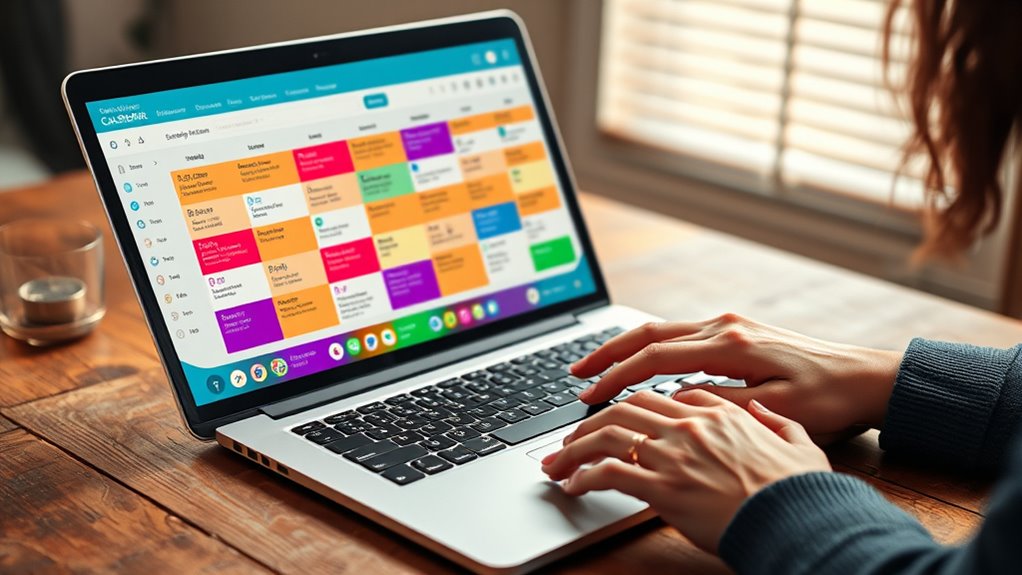

To set up a shared digital calendar for couples, choose a compatible app like Google Calendar or Outlook. Create a shared calendar and invite your partner, making sure to adjust privacy and notification settings to protect personal info and avoid overload. Establish ground rules for adding events to prevent confusion. Regularly review privacy options to build trust. If you continue exploring, you’ll discover how to optimize collaboration and safeguard your private moments.
Key Takeaways
- Choose a compatible calendar app like Google Calendar or Outlook for seamless cross-device sharing.
- Create a shared calendar within the app and send invites to your partner.
- Set appropriate privacy and permission levels to control what each person can view or edit.
- Customize notification settings to stay informed without feeling overwhelmed.
- Regularly review and update sharing and privacy settings to maintain trust and security.

Sharing a digital calendar can transform the way you and your partner stay organized and connected. It’s a simple yet powerful way to keep track of appointments, special occasions, and daily responsibilities without the back-and-forth of endless texts or missed messages. However, before diving in, it’s essential to contemplate privacy concerns. You want to make sure that both of you feel comfortable sharing your schedules without risking sensitive information falling into the wrong hands. Many calendar apps offer privacy settings that let you control what each person can see or edit. For example, you might choose to keep personal appointments private while sharing only work deadlines or social plans. Taking the time to set these boundaries upfront helps prevent misunderstandings and maintains a sense of trust.
Another key factor is app compatibility. Not all calendar apps work seamlessly across different devices or operating systems, which can lead to frustration. If one of you uses an iPhone and the other an Android device, it’s wise to select an app that’s compatible with both platforms. Many popular options, like Google Calendar or Microsoft Outlook, are designed to sync effortlessly across various devices and operating systems. This compatibility ensures that updates made on a laptop appear immediately on a partner’s phone, and vice versa. It also simplifies sharing by reducing the need for extra steps or third-party integrations. Before committing, spend a few minutes exploring the app’s features and compatibility to make sure it suits both your tech setups.
Once you’ve picked a suitable app, setting it up is straightforward. Create a shared calendar within the app, then invite your partner to join. Make sure to double-check invitation settings to avoid accidental sharing with others. It’s also a good idea to establish some ground rules about how and when to update the calendar. For example, decide whether you’ll add events immediately or wait until you’re sure plans are confirmed. This helps avoid confusion or conflicting schedules. Additionally, explore notification settings to find a balance that keeps you informed without overwhelming you with alerts. By customizing these preferences, you ensure the shared calendar enhances your coordination rather than adding stress. Being aware of privacy settings and how they influence what is shared can help safeguard sensitive or personal information.

Apolosign 15.6-inch Digital Calendar : Dual Mode Smart Wall Planner, No Subscription, Install Apps, Sync Calendars, Electronic Touchscreen Interactive Display for Family Schedules, Chore Chart – with Stand (Teak)
First Dual-Mode Digital Calendar — In Calendar Mode, apolosign calendar stay focused with Auto Sync Calendar across Google,…
As an affiliate, we earn on qualifying purchases.
As an affiliate, we earn on qualifying purchases.
Frequently Asked Questions
Can Multiple Users Edit the Shared Calendar Simultaneously?
Yes, multiple users can edit the shared calendar simultaneously, enabling real-time collaboration. When you and your partner update events, changes appear instantly, preventing conflicts. You can also customize notification settings to stay informed about edits, ensuring you’re both on the same page. This seamless collaboration makes managing your schedules easier, so you never miss an appointment or important event.
How Do I Handle Conflicting Events on the Calendar?
When conflicting schedules arise, you should discuss event prioritization openly with your partner. Check which event is more urgent or important, and adjust or reschedule the less critical one. Use your shared calendar‘s notification features to stay updated on changes, and consider adding notes or labels to clarify priorities. This way, you can manage conflicting events smoothly and maintain harmony in your shared planning.
Is There a Way to Set Privacy Levels for Certain Events?
Yes, you can set privacy levels for certain events by adjusting privacy controls on your shared digital calendar. Most platforms let you customize event visibility, so you can keep some events private while sharing others openly. Look for options like “private” or “only me” when creating or editing events. This way, you control who sees what, ensuring your personal events stay confidential while still coordinating shared plans.
Can I Sync the Shared Calendar With Other Apps?
Yes, you can sync your shared calendar with other apps. Most digital calendars offer app compatibility, making it easy to connect with tools like Google Calendar, Outlook, or Apple Calendar. Just check the privacy settings before syncing; verify your privacy levels are maintained, especially if you share sensitive events. This way, you keep your calendar updated across platforms while controlling who sees what.
What Security Measures Protect Our Shared Calendar Data?
Think of your shared calendar as a delicate treasure chest. To protect it, you set strict privacy settings, ensuring only trusted eyes see your plans. Data encryption acts like a secret code, making your information unreadable to prying eyes. Together, these measures keep your schedule safe from unauthorized access, giving you peace of mind while staying connected with your partner securely.

ApoloSign Digital Calendar: Electronic Calendar, Smart Touchscreen Interactive Display for Chore Chart, Family Schedules Planner, Supports All Apps via Google Play (White, 15.6-inch)
First Dual-Mode Digital Calendar — In Calendar Mode, apolosign calendar stay focused with Auto Sync Calendar across Google,…
As an affiliate, we earn on qualifying purchases.
As an affiliate, we earn on qualifying purchases.
Conclusion
By setting up a shared digital calendar, you and your partner can effortlessly coordinate schedules and avoid misunderstandings. For example, imagine planning a surprise anniversary dinner—both of you see the same date, ensuring everything’s perfectly timed. With consistent updates and open communication, your shared calendar becomes a seamless tool that strengthens your connection. Embrace this simple step, and enjoy a more organized, harmonious relationship where both your plans and surprises stay on track.
shared calendar privacy settings
As an affiliate, we earn on qualifying purchases.
As an affiliate, we earn on qualifying purchases.
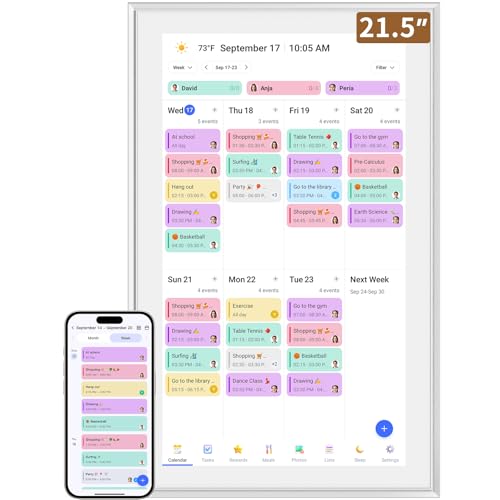
Smart Digital Calendar: 21.5-Inch Electronic Wall Calendars & Chore Chart, Full HD Interactive Touchscreen Display for Family Schedules Planner,Seamless Scheduling/Organizing-Wall/Desk Mountable
✅All-in-One Smart Family Wall Planner Calendar: this is a WiFi-connected digital calendar and planner touch screen that keeps…
As an affiliate, we earn on qualifying purchases.
As an affiliate, we earn on qualifying purchases.